
The Study Topics page allows you to organize and group sermons and posts by common themes or biblical topics. This helps listeners and readers easily find related content within your Branchcast site. From this page, you can view, search, add, edit, or delete study topics.
Access Study Topics
- From the left-side menu, click Content > Study Topics.
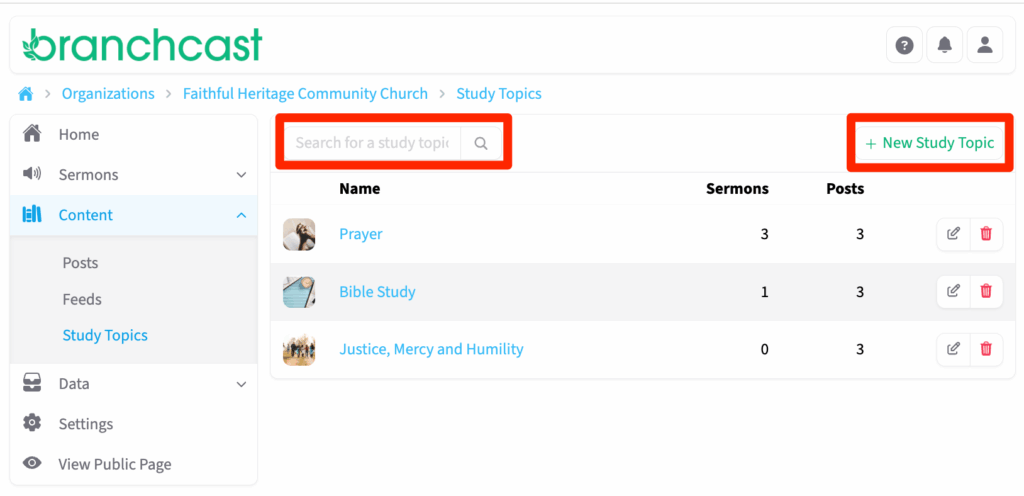
- On the Study Topics page, you can:
- View all existing study topics.
- Search for a specific topic.
- Add a new study topic.
- Edit or delete existing topics.
Study Topic List Details
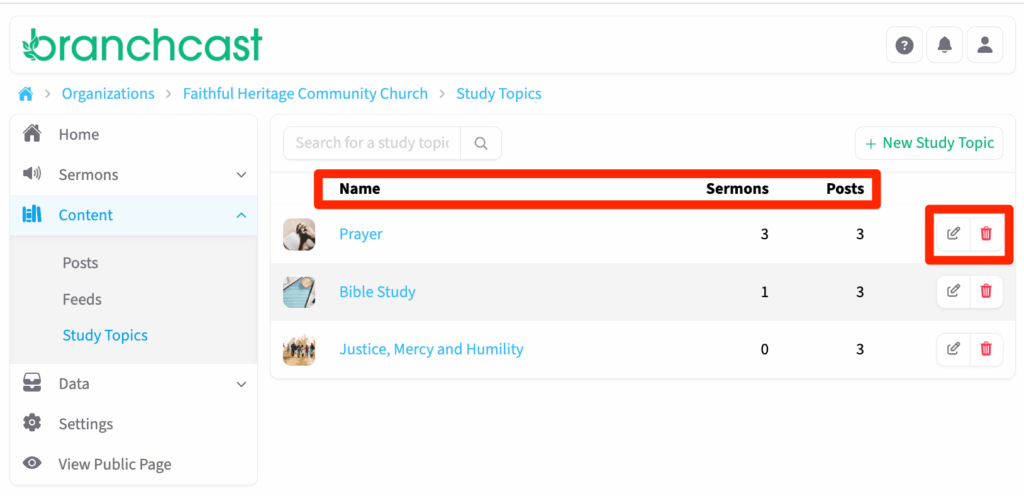
Each study topic listed includes:
- Name – The title of the study topic.
- Sermon Count – The number of sermons associated with the topic.
- Post Count – The number of posts associated with the topic.
- Actions – Options to Edit or Delete the topic.
View Study Topic Details
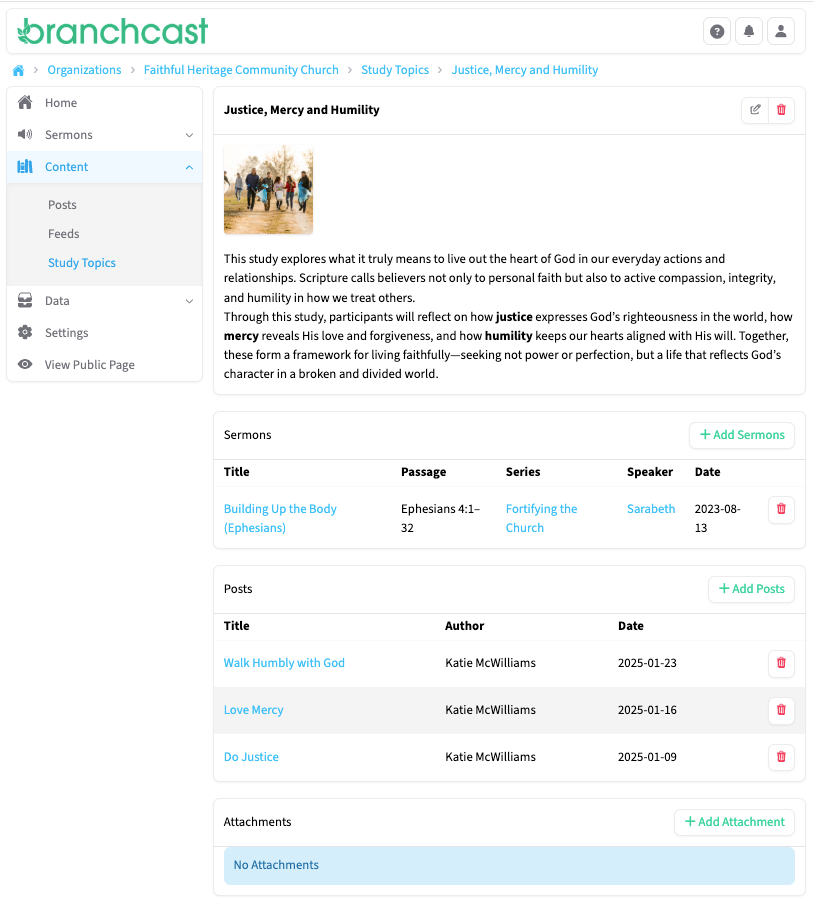
Click on a study topic Name to view additional details. Each study topic record includes:
- Image – The image associated with the topic.
- Description – A summary or overview of the topic.
- Sermons – A list of sermons categorized under this topic.
- Posts – A list of posts categorized under this topic.
- Attachments – Any files or resources related to the topic.
Next to the topic title, click Edit to update details or Delete to remove it.
Add a New Study Topic
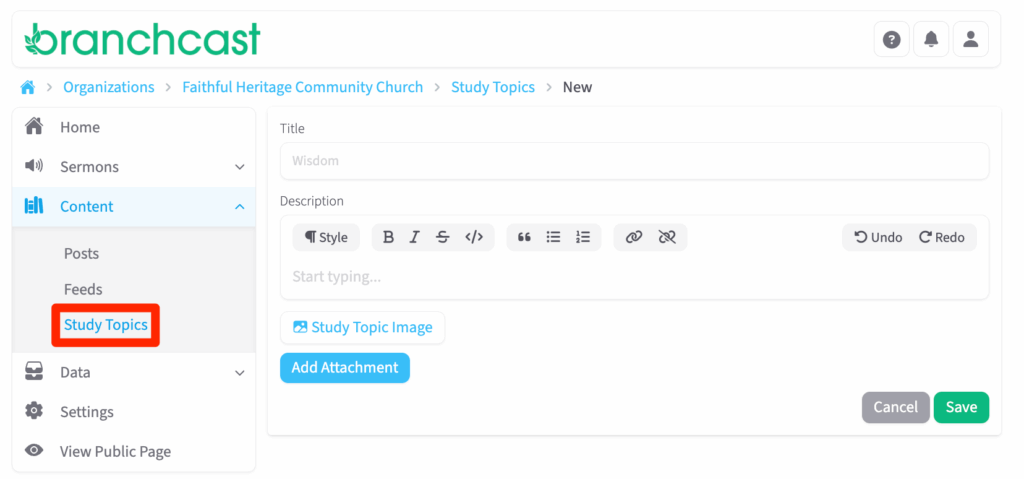
- Click + New Study Topic.
- Enter the Title of the topic.
- Add a Description summarizing the theme or subject.
- Click Topic Image to upload a related image (JPG or PNG format).
- (Optional) Click Add Attachment to include supporting files or study materials.
- Click Save when finished.
Tips
- Study topics are a great way to organize sermons and posts around key themes such as Faith, Advent, or The Gospel of John.
- Attach supporting files like PDFs or discussion guides to enhance group study resources.
- Use descriptive titles to make topics easy to browse and search.